
July 2026 | IT Support for Dental Offices Salt Lake City | Midyear Security & Systems Review
Your Salt Lake City dental practice hasn't stood still since January — and your IT systems haven't either.
You've added team members, upgraded imaging equipment, switched patient communication platforms, or signed up for new billing software. Maybe you brought on a new front desk coordinator or promoted someone into an office manager role. Each of those decisions was the right call at the time. What's harder to track is the trail those decisions leave behind in your practice's technology environment.
Who still has access to Dentrix from a position they left six months ago? Are your X-ray archives backing up properly to a location that's actually separate from your server? When your imaging vendor needs remote access to troubleshoot your Planmeca or Dexis system — who's managing that relationship and what exactly can they reach?
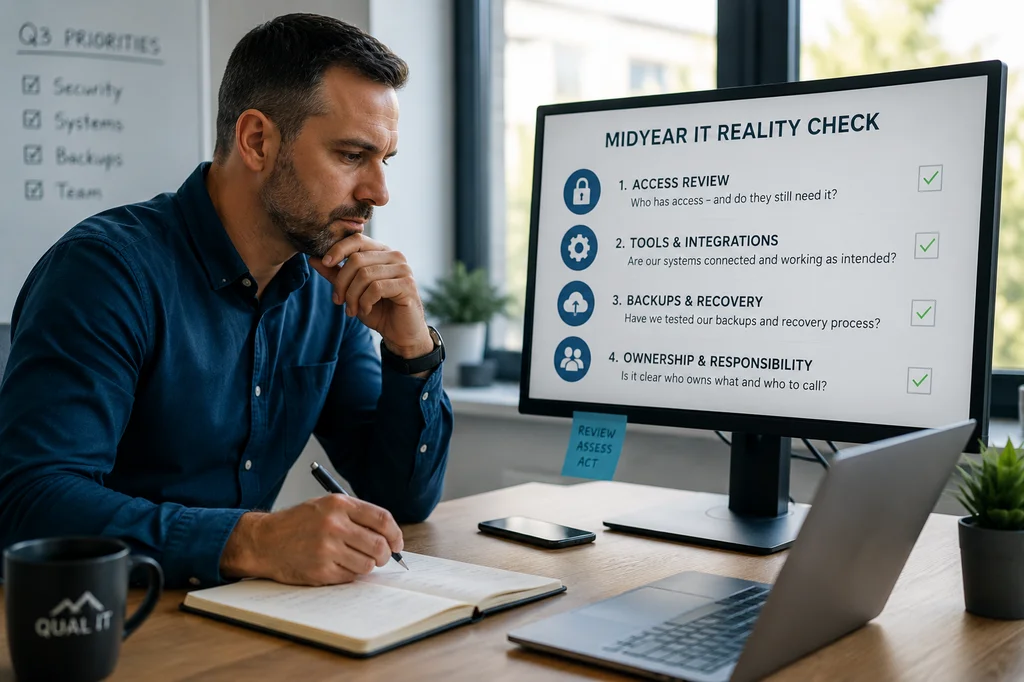
By July, most dental practices are running on assumptions about how their systems work. Here are four things every Salt Lake City dental practice owner should examine before those assumptions become expensive — or become a HIPAA problem.
1. Access Was Expanded. Was It Ever Revisited?
When your front desk coordinator started, they needed access to Dentrix right away to pull up the schedule. When a dental assistant moved into a treatment coordinator role, she picked up additional system permissions to handle treatment plans and insurance breakdowns. A billing service needed temporary access to reconcile outstanding claims. And your imaging software vendor was given remote credentials to install an update.
In a busy dental office, access gets granted quickly. It rarely gets reviewed afterward.
Inside most practices, the access picture looks like this:
- Staff have more permissions in Dentrix or Eaglesoft than their current role actually requires
- A former front desk employee or temp worker may still have active login credentials
- The billing service or imaging vendor still has remote access that was never formally closed
- There's no clean view of who can actually reach patient records, payment information, or imaging archives
Under HIPAA, you're required to limit access to protected health information to those who need it to do their job — the minimum necessary standard. If you can't answer quickly and confidently who has access to your patient data right now, that's worth a closer look before Q3.
Reviewing user access is one of the most impactful — and most overlooked — steps in HIPAA IT compliance for Salt Lake City dental practices. It costs almost nothing to audit, and it closes one of the most common doors attackers use.
2. Your Tools Solved Problems While Creating New Ones
Your practice added Weave to improve patient communication and reduce no-shows. Then RevenueWell came on to run automated recall campaigns. Lighthouse 360 was set up to handle appointment reminders. Your imaging system runs through Dexis or Carestream on a separate workstation from your Dentrix station. Insurance verification pulls from a third-party portal. Billing goes through your DSO's platform or a separate service.
Every one of those decisions made sense in isolation. Collectively, they've created something messier: patient data and practice information now lives in more places, integrations were set up quickly and may not be working as intended, and visibility across systems has fragmented.
When your patient communication platform, your practice management software, and your imaging system are all operating without anyone owning the full technology picture, risk doesn't announce itself. It shows up later — in slower decisions, inconsistent data, and compliance gaps that belong to nobody.
Ask yourself: if a HIPAA auditor asked you to document every system that touches patient information in your practice right now, could you produce that list confidently and completely? If the answer is no — or not quickly — that's a gap worth closing before Q3.
Proactive IT services for Salt Lake City dental offices can audit your full system inventory, confirm what's connected to what, and flag integrations that may have created unintended access or data exposure.
3. Your Backup and Recovery Confidence Is Probably Assumed
Most Salt Lake City dental practices have backups in place and operate under a false sense of security. The backup runs automatically. The green light is on. Everything must be fine.
But here's what often goes unexamined: when was the last time anyone actually tested whether the backup could restore Dentrix or your imaging archives? How long would it realistically take to get the practice back up and running after a ransomware attack that encrypts your server? Who is responsible for managing the recovery process — and does that person know what to do?
Ransomware attacks on dental practices are not hypothetical. Attackers specifically target healthcare providers because patient records are valuable, the pressure to restore access quickly is enormous, and many small practices have weak defenses. When ransomware locks Dentrix, it doesn't just affect your data — it cancels the day's schedule, per chair, per hour.
HIPAA also requires documented backup and recovery procedures. Not just having backups, but knowing they work, knowing how long restoration takes, and having a written plan for what happens when something goes wrong.
Having backups is not the same as being able to recover. The difference between them only becomes clear at the worst possible time. A midyear IT review is the right moment to test that process — before you need it, before a patient's appointment gets canceled, and before a HIPAA audit reveals the gap.
4. Responsibility Has Blurred as Your Practice Has Grown
Early on, it was clear who handled what. Maybe you had one IT person or one vendor who covered everything. Your front desk handled the phones, your clinical staff handled patient care, and the technology more or less took care of itself.
Then systems got more complex. New imaging equipment came in. You added a cloud-based patient communication platform. The dental supply vendor started using a web portal. Your practice management software moved to a newer version with different login requirements. And somewhere in the middle of all that growth, the question of who owns the technology became blurry.
Now when something breaks across systems — Dentrix won't connect to the imaging software, the patient portal isn't syncing — the question of who takes the lead gets answered in real time, under pressure, while patients are waiting. Issues bounce between your front desk staff, your software vendor's support line, and whoever happens to be available. Small problems sit unresolved longer than they should, and nobody's sure whose job it is.
For a solo practice or small dental group without a dedicated IT person, this isn't a character flaw — it's a structural reality. But it is a risk. And it's one that dedicated IT support for dental offices in Salt Lake City can solve.
The right IT partner establishes clear ownership and documented escalation paths for your practice — so when something alarming happens, everyone knows exactly what to do, and the chair doesn't sit empty while your front desk staff and your software vendor try to figure out who's responsible.
Most Risk Comes From What's Changed, Not What's Broken
The vulnerabilities that hurt dental practices most aren't usually dramatic failures — a server that catches fire, a hard drive that visibly dies. They're the slow drift: access that was granted and never revisited, patient communication tools that were added without anyone auditing their data connections, imaging archives that were never actually tested for recovery, and IT responsibilities that were never formally handed off as the practice grew.
A midyear IT review with your Salt Lake City dental IT team is the right time to close those gaps before Q3 opens new ones — before a HIPAA audit, before a ransomware incident, and before the front desk has to tell a patient that the system is down and they'll need to reschedule.
Frequently Asked Questions
Do you offer HIPAA-compliant IT services for dental offices in Salt Lake City?
Yes. Qual IT works with Salt Lake City dental practices to provide HIPAA-compliant IT support, including access reviews, backup and recovery testing for patient records and dental imaging archives, software integration audits, and documentation support for HIPAA compliance. We understand the tools dental practices rely on — Dentrix, Eaglesoft, Dexis, Weave — and we build our support around your specific environment.
Why should Salt Lake City dental practices do a midyear IT review?
By July, most practices have made enough changes — new staff, new software, new vendor relationships — that their IT environment looks significantly different than it did in January. A midyear review helps confirm that access, backups, and HIPAA security controls still match how the practice actually operates today, and not how it operated six months ago.
What does a midyear IT review for a dental practice typically cover?
A thorough review for a dental office covers user access and permissions in Dentrix or Eaglesoft, backup and recovery testing for imaging archives and patient records, software integrations and third-party vendor access, HIPAA compliance alignment, and any new risks introduced by business changes in the first half of the year.
How long does a midyear IT assessment take for a small dental practice?
For most solo or small group dental practices in Salt Lake City, a focused IT review can be completed without disrupting the practice schedule. Qual IT offers a free 10-minute discovery call to help identify where to start and what needs the most immediate attention.
Ready to Clear the Assumptions Before They Cost You?
We work with Salt Lake City dental practices to keep systems running and patient data secure. Qual IT helps dental practices identify where their systems have drifted, where HIPAA risk has accumulated, and what needs attention before it becomes urgent — or before a regulator asks first.


