
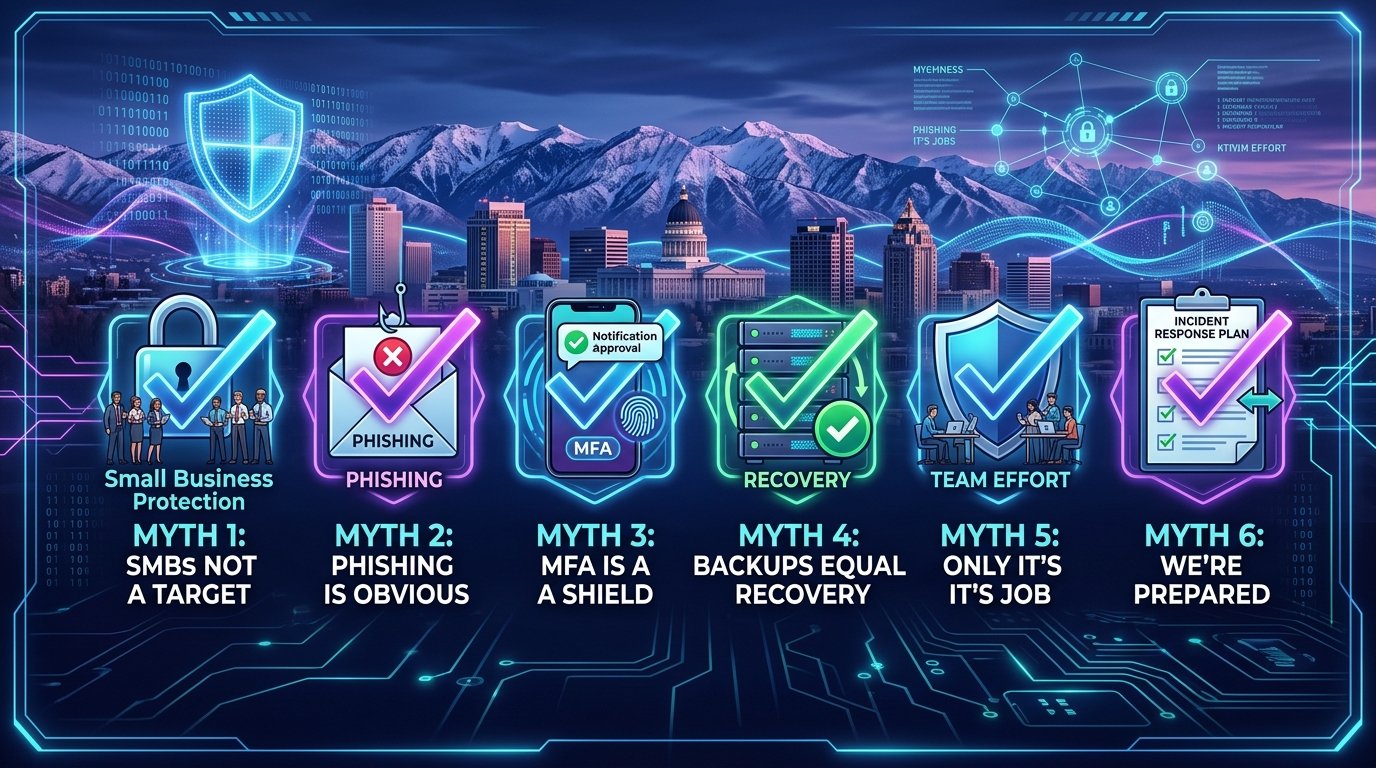
October 2026 | Law Firm Cybersecurity Salt Lake City | Cybersecurity Awareness Month | Security Myths
October is Cybersecurity Awareness Month — a good time for your Salt Lake City law firm to take stock of what you actually know versus what you think you know about protecting client files, trust accounts and privileged communications. Not all of the advice circulating in the legal community is accurate. Some of it has been repeated for so long that it sounds like fact even when it's outdated or simply wrong.
When bad advice goes unchallenged, it creates blind spots. And blind spots are exactly what cybercriminals look for. For a law firm, those blind spots carry consequences most businesses never face: attorney-client privilege, bar association ethics obligations and malpractice exposure. Knowledge gaps and comfortable assumptions are what make firms easy targets — not their practice area or their location.
The good news is that these gaps are simple to close once you know where they are. Here are six myths we hear from managing partners and firm administrators regularly, along with the truth behind each one.
Myth 1: "Hackers Target Banks, Not Law Firms"
It's a comfortable thought, but the opposite is closer to the truth. Law firms concentrate exactly what attackers want in one place: privileged client files, merger and litigation details, personal information from estate and family matters, and — the biggest prize of all — trust accounts that move large sums by wire. A firm's document management system holds confidential information about dozens or hundreds of clients at once, which makes it far more efficient to attack than any single client.
Fact: Law firms are prime targets precisely because of what they hold. Hackers choose targets based on opportunity, and few opportunities are richer than a firm's client files and trust account.
Myth 2: "Our Attorneys Will Recognize a Phishing Email"
The days of obvious phishing emails full of typos from suspicious senders are gone. Today's messages are polished and personalized — a fake court e-filing notification, a spoofed message from opposing counsel with a "revised settlement agreement" attached, a document-share request that looks like it came from NetDocuments or your e-signature platform.
Thanks to AI, it's become harder to catch a scam email from the text alone. Instead, your attorneys and staff need to think about sender behavior. Ask whether the supposed sender would:
- Make an unusual request outside the normal flow of a matter
- Change wire or payment instructions for a settlement or closing
- Request client-confidential information or login credentials
- Send a new or unusual login link for Clio, NetDocuments or your firm's email
If anything seems off, verify through a second channel before clicking or responding.
Fact: A convincing email can still be a scam — and in a law firm, one bad click can expose privileged client files.
Myth 3: "MFA Fully Protects Our Practice Management and Document Systems"
Multi-factor authentication (MFA) is important — and if your firm hasn't enabled it on Clio, MyCase, NetDocuments, iManage and email, that should happen this week. But MFA is not invulnerable. Hackers use MFA fatigue to their advantage, counting on busy attorneys approving requests out of habit or annoyance. "Prompt bombing," for example, floods your phone with requests in hopes you'll approve access just to make them stop.
MFA is a tool, not a shield. Attackers are finding ways around weaker authentication methods, which is why MFA needs support from the security controls around it — especially on systems that hold privileged material.
Fact: MFA should be part of a broader cybersecurity strategy for your firm, not the whole strategy.
Myth 4: "Our Backups Have Us Covered"
Ask yourself: if your firm was hit with a ransomware attack tomorrow, could you actually restore your client matter files? Could you produce documents for a filing deadline on Thursday? How long would it take to get Clio or your document management system back?
A backup is great when you know it's going to work. An untested backup isn't something you can rely on during an incident — and a firm that can't access client files can't meet court deadlines, which turns a technology problem into a malpractice problem. Knowing how long your firm would realistically be down can save you significant time, money and client trust.
Fact: Having backups is not the same as being able to recover. Test the restore, not just the backup.
Myth 5: "Cybersecurity Is Only IT's Responsibility"
Your IT provider does a lot to keep your firm safe, but they can't control every click your attorneys and staff make. Security decisions happen at every desk — the paralegal opening discovery documents, the bookkeeper processing a wire request, the associate logging into Westlaw from a coffee shop. It takes only one bad click to open your systems to threats.
There's also an ethics dimension most industries don't have: attorneys carry a professional duty of technological competence and an obligation to make reasonable efforts to protect client confidentiality. Security awareness training isn't just good practice for a law firm — it supports your ethical obligations. When everyone knows what to look for and when to ask for help, they become part of your firm's defenses instead of the gap in them.
Fact: Training your attorneys and staff to make good decisions strengthens your security posture and supports your bar obligations.
Myth 6: "We'd Know What to Do If Something Happens"
It's Tuesday morning. Several attorneys suddenly can't access their matter files, and a motion is due by end of day. Many firms discover in that exact moment that nobody has answered the basic questions:
- Should everyone shut down their computers?
- Who calls IT — and who calls the firm's malpractice carrier?
- What do you do if email and phones are down?
- When do bar notification and client notification obligations kick in?
- Who communicates with clients and the courts — and how?
For a law firm, a breach can mean ethics obligations, potential client notification duties and malpractice exposure. Winging it isn't a plan. Don't rely on memory in the moment — have a documented incident response plan that accounts for your professional obligations.
Fact: Your recovery plan shouldn't debut during an incident.
Frequently Asked Questions
Do you offer cybersecurity services for law firms in Salt Lake City?
Yes. Qual IT provides law firm cybersecurity in Salt Lake City, including threat detection and response, email security, phishing protection, security awareness training for attorneys and staff, MFA implementation across practice management and document systems, and incident response planning. We work with Salt Lake City law firms to protect client confidentiality and meet bar association IT requirements.
What is the biggest cybersecurity mistake law firms make?
Assuming they're covered without verifying it. Untested backups of client matter files, unexamined assumptions about attorney readiness and security tools nobody monitors create a false sense of protection — which is often more dangerous than a known gap, especially when privilege and malpractice exposure are on the line.
How do I know if my firm's cybersecurity is actually working?
Through testing and review: verified restores of client files, simulated phishing exercises using legal-themed lures like fake court notices, and a periodic assessment of your tools, policies and response plans by an IT partner experienced with legal IT services.
Cybersecurity Awareness Starts With the Facts
Cybersecurity Awareness Month is about making sure the assumptions guiding your firm's decisions are correct. Myths are comfortable — they let you feel covered without digging deeper. But cybersecurity gaps rarely come from a missing product. They come from believing you've already got it handled when you don't — and for a law firm, that belief carries malpractice risk.
If any of these myths sound familiar, it's time to take a closer look at where your firm stands. Providers of IT support for law firms in Salt Lake City should be able to show you exactly what's protecting your client files — and what's only giving you peace of mind. Schedule a free 10-minute discovery call with Qual IT and we'll help you separate the two.


