
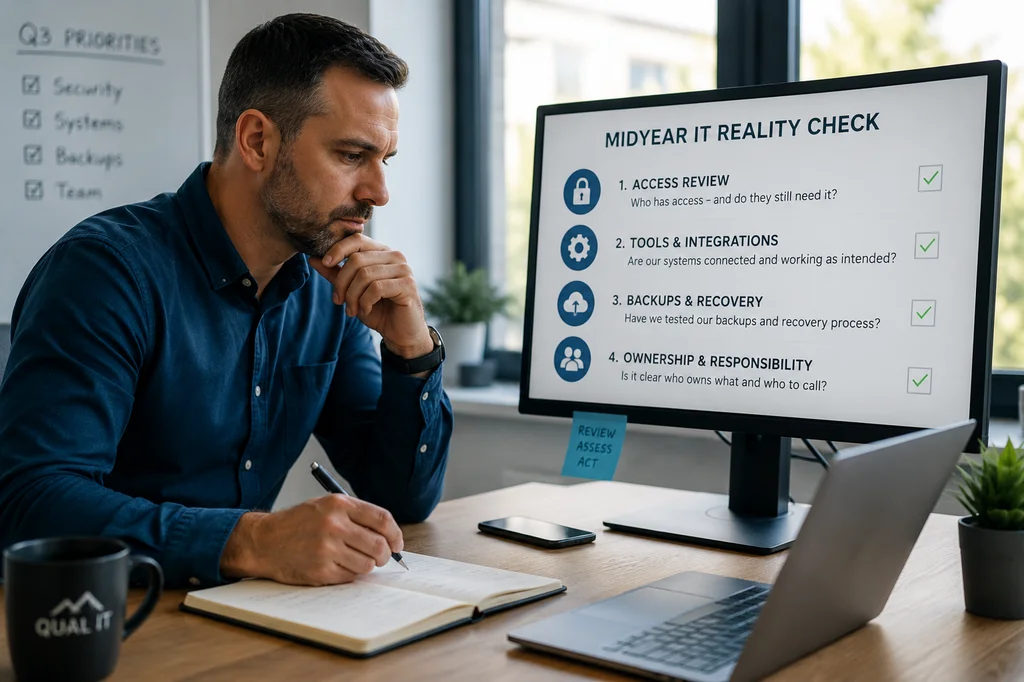
July 2026 | Construction IT Services Utah | Midyear Security & Systems Review
Your Salt Lake City construction company hasn't stood still since January — and your IT systems haven't either.
You've added crew, brought on subcontractors, mobilized new job sites, and made fast calls to keep projects moving. What's hard to track is the trail those decisions leave behind: who still has access to Procore, which subcontractors are sharing project files through personal email, and who's actually responsible for IT when something goes wrong across office and field.
By July, most construction companies are running on assumptions about how their systems work. Here are four things every Salt Lake City GC and project manager should examine before those assumptions become expensive.
1. Procore and Sage Access Was Expanded. Was It Ever Revisited?
A new project kicked off and your superintendent needed access to Procore fast. A subcontractor came on board and needed to pull bid documents. An estimator moved into a project management role and picked up additional permissions to get work done without waiting.
But access almost never gets revisited after a project closes or a role changes. Inside most construction companies, the picture looks like this:
- Former subcontractors and employees may still have active access to Procore project files
- People have more privileges than their current role requires on Sage or Bluebeam
- There's no clean view of who can reach bid documents, financial data, or active blueprints
Do the right people — and only the right people — have access to your project files today? If that answer takes longer than a few seconds to confirm, it's worth a closer look. Reviewing user access in Procore and Sage is one of the most impactful and most overlooked steps in contractor cybersecurity in Salt Lake City.
Unreviewed subcontractor access is also a real liability. If a subcontractor's system gets compromised and they still have a live connection to your Procore environment, that's a path directly into your project data. It costs nothing to revoke it. Leaving it open costs plenty if something goes wrong.
2. App Sprawl Across Office and Field Is Creating Gaps Nobody Owns
Your office team added a project tracking tool to stay organized. Field supervisors started using a mobile app for daily reports. Estimating picked up a new plugin for Bluebeam. The accounting team brought on a software integration to sync with Sage 300 CRE.
Every one of those was a reasonable call at the time. Collectively, they created something messier: project data now lives in more places than anyone has mapped, integrations were set up quickly and may not be working as intended, and visibility across office and field systems has fragmented.
When systems coexist without anyone owning the full picture, risk doesn't announce itself. It shows up as inconsistent project reporting, bid documents that ended up in the wrong place, or a data gap that belongs to nobody until someone asks a hard question. Proactive IT services for construction companies in Salt Lake City can audit this before it becomes a project problem.
The question to ask before Q3: does anyone actually know what tools are connected to your systems, what data each one touches, and whether all of them are still in active use? If that answer isn't clear, you have an app sprawl problem.
3. Your Backup of Project Files and Accounting Data Is Probably Assumed, Not Tested
Most construction companies in the Salt Lake Valley have backups in place and operate under a false sense of security. Recovery of actual project files — the Bluebeam markups, the Sage payroll data, the Procore RFI logs — is rarely tested. The realistic timeline to restore billing operations after a ransomware hit is unclear. And ownership of the recovery process often isn't defined between the office manager, the IT contact, and whoever manages the accounting software.
When ransomware hits — and it does hit construction companies, because attackers know that billing delays on fixed-price contracts create pressure to pay fast — the conversation too often starts with: 'Wait, who handles the Sage restore?'
Having backups in place is not the same as being able to recover. The difference between them only becomes clear at the worst possible time, which is usually when a project deadline is on the line and payroll can't run. A midyear IT review is the right moment to test that process — before you need it on a live job.
Specifically, your IT provider should be able to tell you: how long it would take to restore Procore access, Sage accounting data, and active blueprint files — and who is responsible for each step of that process when the call comes in.
4. Responsibility Has Blurred Across Office, Field, and Subcontractors
Early on, who owned what was roughly clear. The office manager handled certain systems. The IT contact — internal or outsourced — handled others. Subcontractors managed their own devices. It wasn't formally documented, but it worked.
Then the company grew. New job sites came online. More subcontractors came on board. Software expanded to cover field operations. Somewhere in the middle of that growth, IT ownership got blurry. Now when a field supervisor can't reach Procore from a job site or a Sage update breaks the accounting workflow, the question of who takes the lead gets answered in real time. Issues bounce between people, small problems sit unresolved longer than they should, and nobody's sure whose job it is to escalate.
Outsourced IT support for construction companies in Salt Lake City can solve this by establishing clear ownership and documented escalation paths — so when something goes wrong at 6 AM before a concrete pour, everyone knows exactly what to do and who to call.
This is especially important for companies running field teams on mobile devices. MDM — mobile device management — defines what happens when a field tablet is lost, a supervisor's phone gets compromised, or a device needs to be wiped before it falls into the wrong hands. Without a clear policy and someone responsible for enforcing it, the answer to all of those scenarios is 'we hope for the best.'
Most Risk Comes From What's Changed, Not What's Broken
The vulnerabilities that hurt construction companies most aren't usually dramatic system failures. They're the slow drift — subcontractor access that was never revoked after a project closed, apps that were never properly integrated into your security setup, project file backups that were never actually tested, and IT responsibilities that were never formally defined between office and field.
A midyear IT review with your Salt Lake City construction IT services team is the right time to close those gaps before Q3 opens new ones — and before a ransomware attack, a breach, or a client's security audit makes the gaps impossible to ignore.
Frequently Asked Questions
Do you offer IT support for construction companies and contractors in Salt Lake City?
Yes. Qual IT works with Salt Lake City construction companies to keep office and field systems secure and running. We understand the tools GCs and contractors rely on — Procore, Sage 300 CRE, Bluebeam, Autodesk Construction Cloud — and we help ensure access, backups, and connectivity are set up to support the way construction businesses actually operate.
Why should Salt Lake City construction companies do a midyear IT review?
By July, most construction companies have added subcontractors, mobilized new job sites, and adopted new tools — which means their IT environment looks different than it did in January. A midyear review confirms that access to Procore and Sage, project file backups, and security controls still match how the business actually operates today.
What does a midyear IT review for a construction company typically cover?
A thorough review covers user access in Procore and Sage, backup and recovery testing for project files and accounting data, software integrations across office and field, subcontractor access management, and any new risks introduced by business changes in the first half of the year.
How long does a midyear IT assessment take for a construction company?
For most small and mid-sized construction companies in the Salt Lake Valley, a focused IT review can be completed in a few hours. Qual IT offers a free 10-minute discovery call to help identify where to start.
Ready to Clear the Assumptions Before They Cost You?
We work with Salt Lake City construction companies to keep office and field systems running securely. Qual IT helps GCs and contractors identify where systems have drifted, where risk has accumulated, and what needs attention before it affects a project or triggers a costly breach.


