
HIPAA Cybersecurity | Ransomware Protection | IT Support for Dental Offices Salt Lake City
Introduction
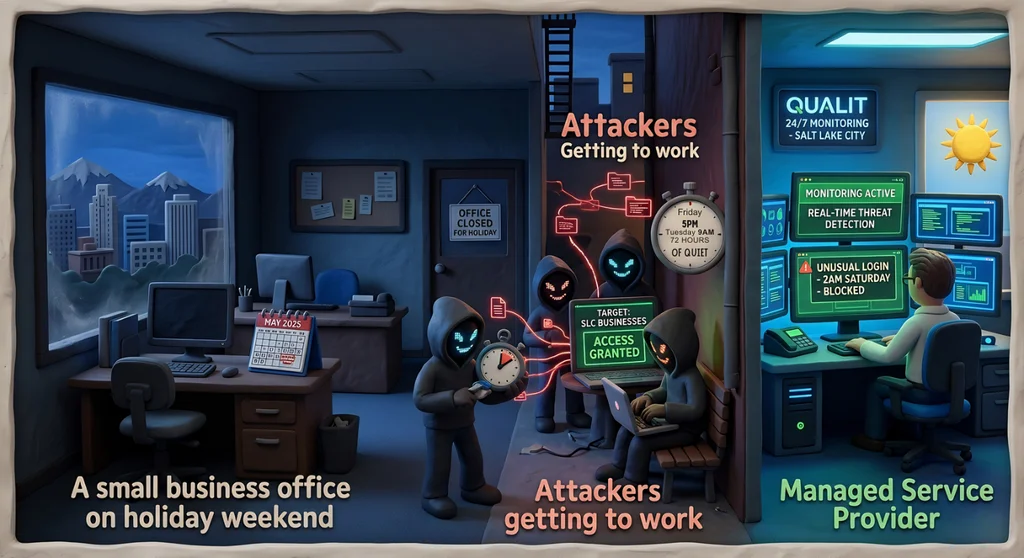
Your dental practice closes at noon on Friday before a long weekend. The team is out, the lights are off, and Dentrix is sitting idle on every workstation. That quiet is exactly what ransomware attackers are waiting for. Ransomware attacks follow a predictable pattern: they launch when your defenses are lowest and no one is watching. For a dental practice, a ransomware attack over a holiday weekend does not just mean encrypted files — it means a Monday morning when you cannot access a single patient record, cannot pull up the schedule, and cannot confirm a single appointment. Every hour of downtime is a lost chair — and lost revenue.
The Holiday Window Is Not a Coincidence
A 2025 Semperis study found that 52% of ransomware attacks occur on holidays or weekends. The same research found that 78% of organizations reduce their security staffing on holidays — creating a 72-hour window from Friday afternoon to Tuesday morning when attackers operate with minimal interference.
This is not opportunistic. It is strategic. Ransomware operators know that the average time to detect an attack is measured in hours, and that every hour before detection is an hour for the malware to spread and encrypt. A Friday-night attack that goes undetected until Monday morning has had more than 60 hours to propagate through your network.
What Ransomware Looks Like for a Dental Practice
When ransomware hits a dental practice, the damage is immediate and concrete:
- Dentrix or Eaglesoft files are encrypted and inaccessible.
- The day's schedule cannot be pulled up. Patients cannot be confirmed.
- Patient imaging files — X-rays, treatment records — may be encrypted or deleted.
- Billing and insurance claim data may be compromised.
- HIPAA breach notification requirements are triggered.
Restoring from backup — assuming one exists and is clean — takes hours to days. In the meantime, your practice is effectively closed.
The Reactive vs. Proactive Model
Most small dental practices operate on a reactive IT model: something breaks, you call someone. That model has a fatal flaw when it comes to ransomware — by the time you call, the damage is already done.
A proactive model means your systems are being monitored continuously, including at 11 PM on Christmas Eve. Suspicious activity — unusual login attempts, unexpected file encryption behavior, lateral movement across your network — triggers an alert and a response before the attack completes.
This is the core value of a managed IT provider for a dental practice: you get 24/7 monitoring without hiring a full-time IT staff member. When the front door is locked and the lights are off, your network is still being watched.
Specific Steps That Reduce Ransomware Risk
Maintained, Tested Backups
Backups are only valuable if they work. Your patient records and imaging files should be backed up daily, stored offsite or in a HIPAA-compliant cloud, and tested regularly to confirm they can actually be restored. A backup that has never been tested is a backup you cannot count on.
Endpoint Detection and Response (EDR)
Antivirus alone does not stop modern ransomware. EDR tools monitor behavior rather than just signatures, catching ransomware activity before it completes encryption. This should be deployed on every workstation and server in your practice.
Network Segmentation
If ransomware gets onto one workstation, segmentation limits how far it can spread. Patient records, imaging files, and billing data should be on separate network segments from general internet-connected devices. This is a technical control that significantly reduces the blast radius of an attack.
Incident Response Plan
Know in advance what you will do if ransomware hits. Who do you call? What is the order of operations for restoring systems? Who handles the HIPAA breach notification? Having a documented plan means you spend your response time executing, not figuring out who to call at 7 AM on a holiday Monday.
Frequently Asked Questions
Q: Does HIPAA require dental practices to have ransomware protections in place?
HIPAA's Security Rule requires covered entities to protect the availability of ePHI and to have contingency plans — including data backup and disaster recovery — in place. Ransomware that makes patient records unavailable is a HIPAA violation. The HHS Office for Civil Rights has issued specific guidance on ransomware, noting that most ransomware attacks constitute reportable breaches.
Q: We back up our Dentrix data nightly. Doesn't that protect us?
Nightly backup is a critical foundation — but it does not prevent the attack or limit its spread. It also assumes the backup itself was not compromised. Many ransomware variants specifically target backup files. Your backup strategy should include offsite or immutable cloud storage, regular restore testing, and monitoring to detect an attack before it can reach your backups.
Q: How long does it take to recover from a ransomware attack without proper preparation?
Recovery timelines vary, but unplanned ransomware recovery for a dental practice typically takes anywhere from two days to two weeks, depending on what data was encrypted, the quality of backups, and whether the practice chooses to pay a ransom (which is not recommended and does not guarantee recovery). Every day the practice is down, appointments are cancelled and revenue is lost.
Don't Wait for a Holiday Monday to Find Out You're Unprotected
We work with Salt Lake City dental practices to keep systems running and patient data secure. If you want to assess your current ransomware exposure, review your backup strategy, or put 24/7 monitoring in place before the next long weekend, let's talk.


