
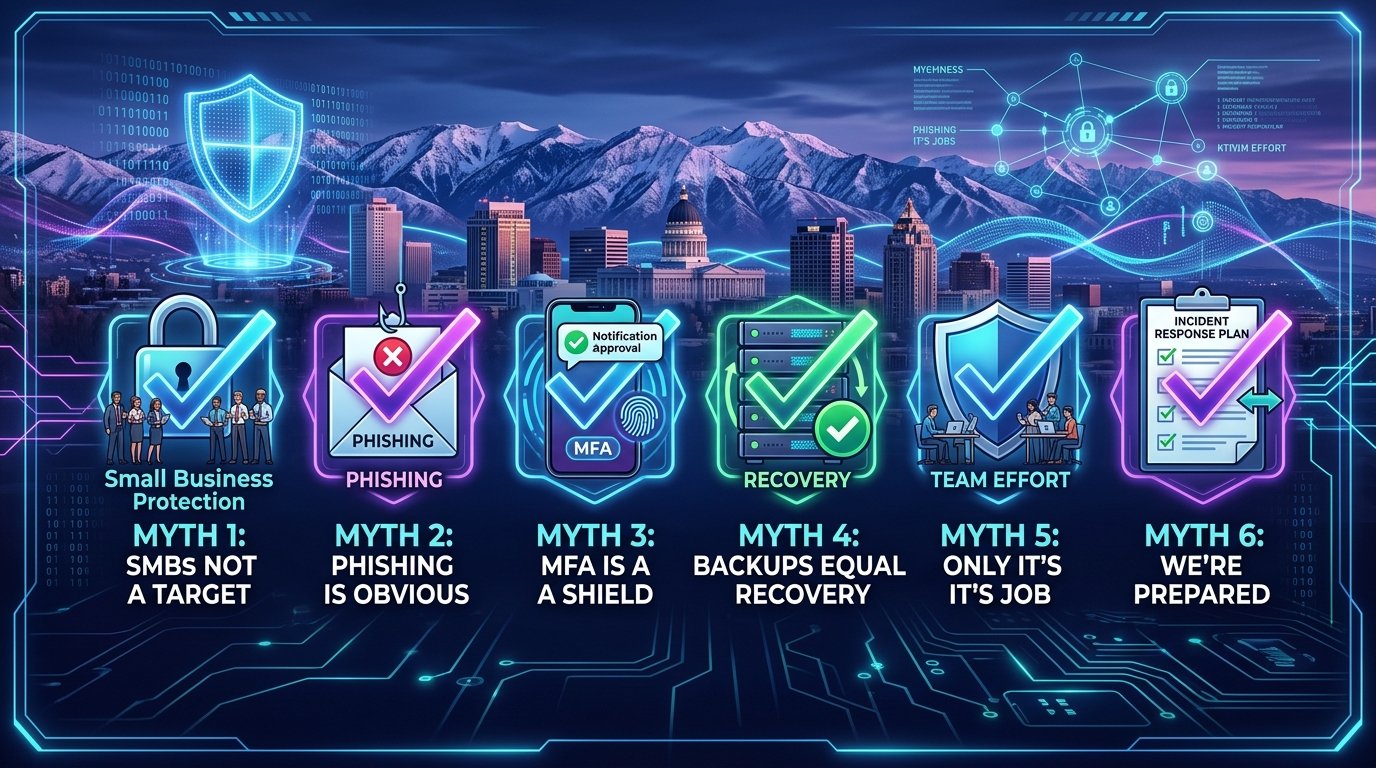
October 2026 | IT Support for Architectural Firms Salt Lake City | Cybersecurity Awareness Month | Security Myths
October is Cybersecurity Awareness Month — a good time for your Salt Lake City architectural firm to take stock of what you actually know versus what you think you know about protecting your design work. Between Revit models, BIM 360 project sites and consultant coordination emails, your studio handles more valuable digital assets than most firms realize. And not all of the security advice circulating among design firms is accurate. Some has been repeated for so long that it sounds like fact even when it's outdated or wrong.
When bad advice goes unchallenged, it creates blind spots. And blind spots are exactly what cybercriminals look for. Knowledge gaps and comfortable assumptions are what make architectural firms easy targets — not their profile, their portfolio or their location.
The good news is that these gaps are simple to close once you know where they are. Here are six myths we hear from firm principals and studio leaders regularly, along with the truth behind each one.
Myth 1: "Hackers Don't Care About Design Firms"
There is no such thing as a firm too unremarkable for an opportunistic cybercriminal. It doesn't matter what your project mix looks like or how your studio is structured. If you have exposed accounts or vulnerable systems, bad actors will take advantage of them.
Think about what actually lives on your servers: unreleased designs and design IP, client project data, site plans for sensitive facilities, and a steady stream of consultant and contractor payments moving through your accounting workflow. Wire fraud aimed at consultant payment changes is one of the most common attacks hitting the AEC industry — hackers know money flows constantly between architects, engineers and contractors.
Fact: Hackers choose targets based on opportunity, not profile — and architectural firms offer plenty of opportunity.
Myth 2: "Our Designers Will Recognize a Phishing Email"
The days of obvious phishing emails full of typos from suspicious senders are gone. Today's emails are polished and personalized — crafted to look like a consultant sharing a revised drawing set, a contractor sending an RFI or a client asking about an invoice.
Thanks to AI, it's become harder to catch a scam email from the text alone — especially during a deadline crunch, when your designers and architects are moving fast and clicking faster. Instead, your team needs to think about sender behavior. Ask whether the supposed sender would:
- Make an unusual request
- Change payment instructions for a consultant or vendor
- Request sensitive project information or drawings
- Send a new or unusual login link to BIM 360, Newforma or a file-sharing site
If anything seems off, double-check before clicking or responding — even the week before a submission.
Fact: A convincing email can still be a scam.
Myth 3: "MFA Fully Protects Our BIM 360 and Project Accounts"
Multi-factor authentication (MFA) is important, but it's not invulnerable. Hackers use MFA fatigue to their advantage, counting on busy project architects approving requests out of habit or annoyance. "Prompt bombing," for example, floods your phone with requests in hopes you'll approve access just to make them stop.
MFA is a tool, not a shield — especially on cloud platforms like Autodesk BIM 360 and Autodesk Docs, where dozens of consultants and subcontractors may hold access to your project models. If that external access is loosely managed, MFA on your own staff accounts only covers part of the door. Attackers are finding ways around weaker authentication methods, which is why MFA needs support from the security controls around it.
Fact: MFA should be part of a broader cybersecurity strategy that includes managing who can touch your design files and BIM models.
Myth 4: "Our Backups Have Us Covered"
Ask yourself: if your firm was hit with a ransomware attack tomorrow, could you actually restore your data? How long would it take to bring back multi-gigabyte Revit models, linked CAD files, rendering assets and years of project archives?
A backup is great when you know it's going to work. An untested backup isn't something you can rely on during an incident — and restoring huge BIM and render files takes far longer than most firms expect. Knowing how long your studio would realistically be down, and whether your designers and architects could keep a deadline moving in the meantime, can save you significant time and money.
Fact: Having backups is not the same as being able to recover.
Myth 5: "Cybersecurity Is Only IT's Responsibility"
Your IT support does a lot to keep your firm safe, but they can't control every click your designers and architects make. Cybersecurity decisions happen at every workstation in the studio — from the intern opening a "drawing transmittal" to the principal approving a payment — and it takes only one bad click to open your systems to threats.
Employee security awareness training matters. When everyone in the studio knows what to look for and when to ask for help, they become part of your cybersecurity defenses instead of the gap in them.
Fact: Training your designers and architects to make good decisions strengthens your security posture.
Myth 6: "We Know What to Do If Something Happens"
It's the Tuesday morning of deadline week. Several designers suddenly can't open the central Revit model, and the project folder looks scrambled. Many firms discover in that exact moment that nobody has answered the basic questions:
- Should everyone shut down their workstations?
- Who calls IT?
- What do you do if email and project communication systems are down?
- When does the insurance company get involved?
- Who communicates with clients, consultants and the contractor — and how?
Don't rely on memory in the moment, and definitely don't work out the decision chain for the first time while a submission clock is running. Have a documented incident response plan.
Fact: Your recovery plan shouldn't debut during an incident.
Frequently Asked Questions
Do you offer IT support for architectural firms and design studios in Salt Lake City?
Yes. Qual IT provides IT support for architectural firms in Salt Lake City, including cybersecurity, backup and recovery for large design files and BIM models, support for tools like Revit, AutoCAD and BIM 360, employee security awareness training, MFA implementation and incident response planning.
What is the biggest cybersecurity mistake architectural firms make?
Assuming they're covered without verifying it. Untested backups of massive project files, loosely managed consultant access to BIM platforms and security tools nobody monitors create a false sense of protection — which is often more dangerous than a known gap.
How do I know if my firm's cybersecurity is actually working?
Through testing and review: verified restores of full project models, simulated phishing exercises for your designers and architects, and a periodic assessment of your tools, policies and response plans by a qualified IT partner who understands architecture firm IT services in Utah.
Cybersecurity Awareness Starts With the Facts
Cybersecurity Awareness Month is about making sure the assumptions guiding your decisions are correct. Myths are comfortable — they let you feel covered without digging deeper. But cybersecurity gaps rarely come from a missing product. They come from believing you've already got it handled when you don't.
We work with Salt Lake City architectural firms to protect design files and keep project workflows running. If any of these myths sound familiar, it's time to take a closer look at where your firm stands. Schedule a free 10-minute discovery call with Qual IT and we'll help you separate what's protecting your design work from what's only giving you peace of mind.


