
May 2026 | Cybersecurity for CPA Firms | Ransomware, 24/7 Monitoring & Tax Season Business Continuity
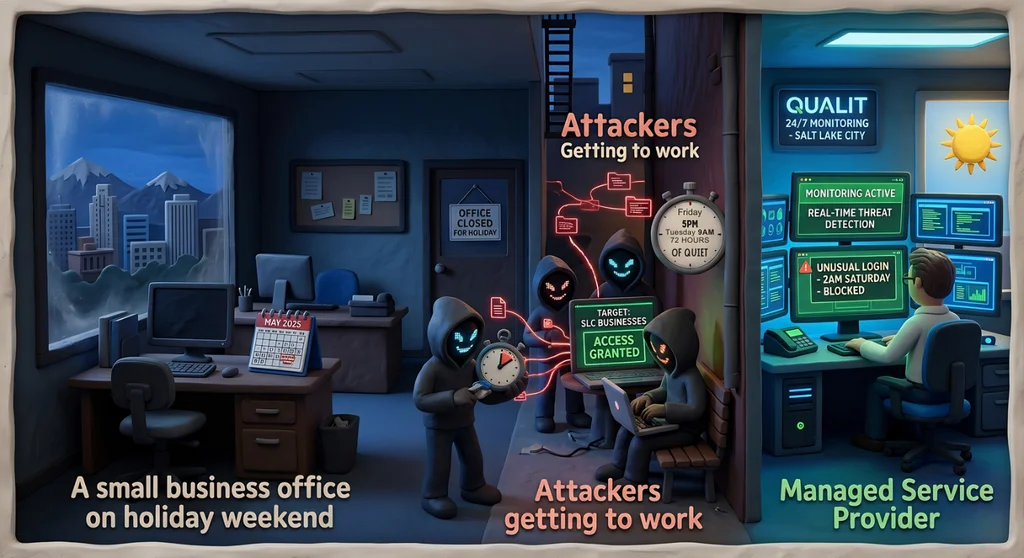
Tax season is your Super Bowl. Any downtime in March or April is catastrophic — not just operationally, but financially and reputationally. What most CPA firm partners don't know is that cybercriminals are specifically timing ransomware attacks for exactly the moments when your firm is least prepared to respond: holidays, weekends, and high-pressure deadline periods. According to a 2025 Semperis report, 52% of ransomware attacks occur on holidays or weekends. The 72-hour window from Friday afternoon to Tuesday morning is the preferred attack window. And 78% of organizations reduce security staffing on holidays — which, for most small to mid-size accounting firms, means no one is watching anything.
Why Timing Is a Deliberate Attack Strategy
Ransomware deployment isn't instantaneous. Attackers typically gain initial access to a network — through a phishing email, a compromised credential, or an unpatched system — and spend time moving through the environment before they trigger the ransomware payload. They map the network, identify the most critical systems, exfiltrate data they can use as additional leverage, and disable or infect backup systems.
The ransomware payload itself is deployed when it will have maximum impact and minimum resistance. Friday evening is ideal: by Monday morning, the encrypted systems have been inaccessible for 60+ hours. The window for early detection and containment has closed. The firm's options are limited to paying the ransom, restoring from backup (if the backups weren't encrypted too), or rebuilding from scratch.
The Tax Season Timing That Should Keep You Up at Night
For CPA firms, the holiday/weekend attack pattern is bad enough year-round. But attackers are also increasingly aware of tax season deadlines, and they deliberately time attacks around them. An attack that deploys on a Thursday night in early April — when your firm has returns due in days — puts you in a nearly impossible position.
You can't complete returns with encrypted systems. You can't access client data in UltraTax or Lacerte. You can't send returns through SafeSend. You can't communicate through the client portal. Your staff is calling clients to explain why their returns won't be filed on time. Your partners are fielding calls and trying to explain an unexplainable situation. And the ransom demand is sitting in your inbox with a countdown timer.
What Gets Encrypted When Ransomware Hits an Accounting Firm
Consider what lives on your firm's systems and servers. Your tax preparation software — UltraTax, Lacerte, Drake Tax, or CCH Axcess — and all the client return data within it. Your client portal — SafeSend, ShareFile, SmartVault, or TaxDome — and every document your clients have submitted or received. Your accounting software environments — QuickBooks and Xero client files. Your practice management software — Karbon or Canopy — with workflow history, client communication records, and engagement data. Your firm's file server or cloud storage with years of client records.
A ransomware attack doesn't just disrupt current operations. It potentially destroys or exposes years of accumulated client data — with notification obligations, professional liability exposure, and client relationship damage that extends far beyond the immediate operational crisis.
The IRS and FTC Expect a Response Plan
IRS Publication 4557 requires CPA firms to have a written incident response plan for data security incidents, including ransomware. The FTC Safeguards Rule similarly requires written procedures for detecting and responding to cybersecurity events. Having no monitoring and no response plan when an attack occurs on a holiday weekend is exactly the scenario that regulators flag as inadequate controls.
Firms that can demonstrate active monitoring, prompt detection, and a documented response are in a fundamentally better position — with regulators, with clients, and with cyber insurers — than firms that discover Monday morning that everything is encrypted.
The Reactive vs. Proactive Model
Most small CPA firms operate on a reactive IT model: something breaks, you call your IT person. That model is fine for software licensing issues and workstation problems. It's catastrophic for ransomware.
Ransomware requires a proactive model: continuous monitoring of your environment, automated alerts when something unusual is detected, and a response team available at 10 PM on a Friday night, at 3 AM on Sunday, on Memorial Day, on the day before April 15. The attacker doesn't wait for business hours. Your response can't either.
What 24/7 Monitoring Looks Like in Practice
A managed security operations center (SOC) monitors your network and endpoints continuously. When an attacker who gained initial access on Thursday night begins moving through your network — before the ransomware payload fires — the SOC sees the anomalous behavior, can isolate affected systems, and alerts your firm's contact. That interruption, happening at 11 PM, may save your entire tax season.
Instead of discovering Monday morning that everything is encrypted, you get a call Friday night that an incident was detected and contained. Your staff comes in Monday to systems that are intact, and you have an incident report documenting what happened and what was done.
The difference between those two scenarios is continuous monitoring.
What to Do Before the Next Long Weekend
- Find out whether your current IT arrangement includes 24/7 monitoring or only business-hours support
- Confirm your backups are isolated from your primary network and have been tested recently
- Review your written incident response plan — does it address holiday/weekend attack scenarios?
- Verify that your UltraTax, Lacerte, or CCH Axcess environment has appropriate access controls
- Review your IRS Publication 4557 security plan and confirm it reflects your current technology environment
Qual IT Works With Salt Lake City CPA Firms
We work with Salt Lake City CPA firms to protect client data and keep systems running through tax season. If you'd like to talk about 24/7 monitoring and what a ransomware response plan looks like for your firm, schedule a free discovery call with Qual IT.
Frequently Asked Questions
Does IRS Publication 4557 require 24/7 security monitoring?
Publication 4557 doesn't use the phrase '24/7 monitoring,' but it requires written incident response procedures and security controls adequate to protect taxpayer data. In practice, a firm with no after-hours monitoring that suffers a weekend ransomware attack will have difficulty demonstrating adequate controls to the IRS or FTC. Continuous monitoring is the operational implementation of the controls those requirements call for — and it's increasingly expected by cyber insurers as a condition of coverage.
What should we do if we discover ransomware during tax season?
Isolate affected systems immediately — disconnect them from the network. Contact your IT provider and activate your incident response plan. Do not pay the ransom without consulting legal counsel and your insurance carrier. Assess whether client taxpayer data was exfiltrated — if so, you have notification obligations under IRS guidance, the FTC Safeguards Rule, and state breach notification laws. Contact the IRS if taxpayer data was compromised (IRS Publication 4557 provides specific guidance on this). Document everything from the moment of discovery.
How do we make sure our backups will actually work after a ransomware attack?
Test them. Backup testing — actually restoring data from backup to verify it works — should happen at minimum quarterly, with particular attention before and after tax season. Critically, your backups must be isolated from your primary network (air-gapped or immutable cloud backups). Ransomware routinely identifies and encrypts backup systems connected to the infected environment. If your UltraTax or Lacerte data backups are on a drive connected to the same network that gets encrypted, they encrypt too. Isolated, tested backups are your best recovery option.


