
Holiday Timing, Client File Encryption, and Why Your Legal Team Needs 24/7 IT Coverage Even When Court Is Not in Session
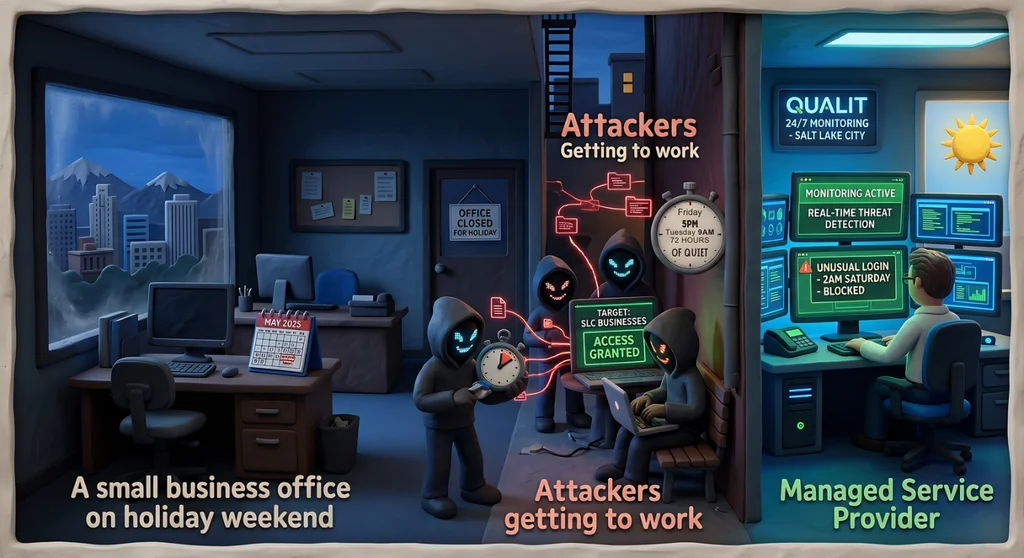
Ransomware attackers do not observe holidays, and they deliberately do not attack during business hours. Research from Semperis (2025) found that 52% of ransomware attacks occur on holidays and weekends — exactly when law firms are most likely to be operating with reduced staff, diminished oversight, and slower incident response. For a Salt Lake City law firm, a ransomware attack that encrypts your Clio case management database or your NetDocuments repository at 11 PM on a Friday evening can leave your attorneys and staff locked out of client files, billing records, and confidential communications for 72 hours or more before anyone realizes something is wrong.
Why Ransomware Attackers Target the 72-Hour Window
The 72-hour window from Friday afternoon through Tuesday morning is ransomware's prime operating window. Semperis researchers found that 78% of organizations report reduced security staffing on holidays and weekends — meaning the people who would normally detect an intrusion are not watching. Ransomware operators know this. They have studied organizational security patterns, and they time their deployments to maximize dwell time — the period between initial network compromise and the moment someone notices the attack.
By the time your firm's staff arrives Monday morning to find client files inaccessible and ransom notes on every screen, attackers have often had 48 to 72 hours of undetected access. During that window, they have not just encrypted your current files — they may have exfiltrated confidential client data, planted backdoors for future access, and spread laterally through every connected system, including your document management platform in iManage, your case management system in Clio, and your firm's shared SharePoint environment.
For law firms, the damage is compounded by professional obligations. You cannot tell a client their deposition is postponed because ransomware encrypted your files without also confronting questions about the security of their confidential information. Court deadlines do not pause for ransomware recovery. A ransomware attack on a Friday can produce missed deadlines, emergency motions, and malpractice exposure by Monday afternoon.
The Reactive Security Model Fails Law Firms
Most small and mid-sized law firms operate on a reactive IT model: something breaks, someone calls for help. This model works reasonably well for routine issues — a printer that stops responding, a Westlaw login that needs to be reset. It fails completely against ransomware attacks that are designed to operate undetected for days before the damage becomes visible.
By the time a ransomware attack is obvious — files locked, ransom note displayed — the critical intervention window has closed. The best time to stop ransomware is during the reconnaissance and lateral movement phase, before encryption begins. That requires active, continuous monitoring of your network, not reactive response after the fact. A law firm that discovers ransomware Monday morning cannot undo 72 hours of attacker activity.
The reactive model also fails during the recovery phase. Restoring encrypted client files from backup — assuming your backups are intact and not themselves encrypted — takes time that your clients, your court calendar, and your opposing counsel may not graciously extend. Professional ransomware response requires a pre-planned playbook, tested backups, and a team that can move quickly. Improvising under pressure while attorneys are asking about their clients' files is not a tenable incident response strategy.
What a Proactive Model Looks Like for Law Firms
A proactive security model for a law firm includes continuous monitoring of network traffic and endpoints for anomalous behavior — unusual login attempts, large data movements, access to sensitive folders at unusual hours. It includes tested, isolated backups that ransomware cannot reach. It includes a defined incident response plan that your entire legal team understands, with clear escalation paths for after-hours events. And it includes a managed service provider (MSP) that monitors your environment 24/7/365, even when your office is closed.
For law firms specifically, a proactive model also includes monitoring for threats to platforms that hold privileged data: Clio, MyCase, NetDocuments, iManage, Filevine. Access anomalies in these platforms — a login from an unusual geography, a mass download of client files at 3 AM — should trigger immediate alerts, not next-business-day review.
Backup Strategy: The Last Line of Defense
Many law firms believe their backup situation is fine because they have some form of backup running. The reality is more nuanced. Backups need to be regularly tested to confirm they can actually restore your systems. They need to be isolated from your primary network so ransomware cannot reach them during an attack. And they need to cover not just files but also the configurations of your legal software — so you can restore Clio or NetDocuments to a functional state, not just recover the raw data files.
The gold standard for law firm backup is the 3-2-1 strategy: three copies of data, on two different media types, with one copy offsite (or in an isolated cloud environment). Firms that apply this strategy consistently have recovered from ransomware attacks within hours rather than days — preserving client relationships, court calendars, and the firm's reputation.
What Your Law Firm Should Do Before the Next Holiday Weekend
- Confirm your backup strategy: 3-2-1 rule, isolation from primary network, tested restoration
- Enable 24/7 monitoring on your Clio, NetDocuments, iManage, and SharePoint environments
- Establish an after-hours incident response contact — someone your attorneys can reach at 11 PM on a Friday
- Review access logs for anomalous activity on nights and weekends
- Brief your attorneys and staff on what to do if they notice something unusual — and who to call
- Test your ransomware response plan before an attack forces you to improvise
The Cost of Unplanned Downtime for a Law Firm
Lost billable hours are the most immediately visible cost of ransomware, but they are far from the only one. Forensic investigation, data recovery, system restoration, client notification, regulatory reporting, malpractice claims, and reputational damage all add to the total. Industry estimates for law firm ransomware incidents regularly reach six figures in total cost — even for small firms where the ransom payment itself is modest.
The cost of prevention — 24/7 monitoring, tested backups, incident response planning — is a fraction of the cost of recovery. For a law firm whose existence depends on client trust and professional reputation, the investment is not a technology cost. It is a professional liability management cost.
Qual IT works with Salt Lake City law firms to protect client confidentiality and meet bar association IT requirements. Schedule a free discovery call to assess your firm's ransomware readiness before the next holiday weekend.
Frequently Asked Questions
Q: Are law firms required to report ransomware attacks to the bar or clients?
The answer depends on what data was affected and your jurisdiction's rules. Under most state bar professional conduct rules, attorneys have an obligation to notify clients of any material breach of confidentiality — and ransomware that encrypts or exfiltrates client data almost certainly qualifies. Utah also has state data breach notification laws that may apply depending on the type of information compromised. Federal requirements (HIPAA, if your firm handles health-related legal matters) may impose additional obligations. Your best course is to engage legal ethics counsel and your cyber insurer immediately following any ransomware incident.
Q: Our firm is small — are we really a target for ransomware?
Yes. Ransomware operators have specifically shifted focus toward smaller organizations, including small law firms, because smaller targets often have weaker defenses and are more likely to pay to restore access quickly. Ransomware-as-a-service platforms have lowered the barrier to attack, making it economically viable to target a three-attorney firm. Your firm's size does not protect you — and your firm's data (privileged client communications, financial records, settlement documents) is genuinely valuable to attackers.
Q: How long does ransomware recovery typically take for a law firm?
Recovery time varies enormously based on preparation. Firms with current, tested, isolated backups have restored operations within 24 to 72 hours. Firms without adequate backups have faced weeks-long recovery periods — or permanent data loss. The variables that most determine recovery speed are: the quality and currency of your backups, whether your backups are isolated from the ransomware, the speed of your incident response team, and whether you have a pre-planned recovery process. Firms that have never tested their backups frequently discover during a ransomware event that those backups do not work as expected.


